Educational Robots Turn Robotics Into Hands-On Learning
Educational robots are robots designed or used to teach concepts in science, technology, engineering, mathematics, coding, design, mechanics, sensors, control, teamwork, and problem solving. They can be simple classroom kits, wheeled coding robots, robotic arms, competition platforms, humanoid learning robots, research bases, or lab-built systems. Their value is not only that students see a robot move. Their value is that learners connect code, hardware, sensors, mistakes, measurement, and iteration in one physical system.
A: It helps learners explore robotics concepts through hands-on building, coding, sensing, or testing.
A: No. Simple robots can teach sequencing, logic, observation, and iteration early.
A: Small mobile robots, simple arms, or sensor projects with clear feedback.
A: They teach students how robots gather evidence before acting.
A: Yes, when they emphasize design process, teamwork, testing, and reflection.
A: They support open-ended experiments in navigation, manipulation, perception, AI, or interaction.
A: Durability, documentation, lesson fit, support, charging, and repair access.
A: Students see technical ideas become physical behavior.
A: Robots that look impressive but hide too much or break easily.
A: Robotics learning grows through building, testing, evidence, and revision.
Educational Robots Make Abstract Ideas Physical
Robotics is useful in education because it makes invisible ideas visible. A student can write code and watch a wheel turn. They can change a sensor threshold and see the robot avoid or hit an obstacle. They can adjust a gear ratio and feel the difference in torque. The lesson becomes physical.
That physical feedback helps learners understand cause and effect. A bug is not only an error message; it may become a robot that turns the wrong way. A weak design is not only a drawing problem; it may become a wobbling chassis or a slipping gripper.
Educational robots also reward iteration. Students build, test, fail, adjust, and test again. That cycle mirrors real engineering more closely than a worksheet can.
The best educational robots are not necessarily the most advanced. They are the ones that let learners ask clear questions and see the result of their choices.
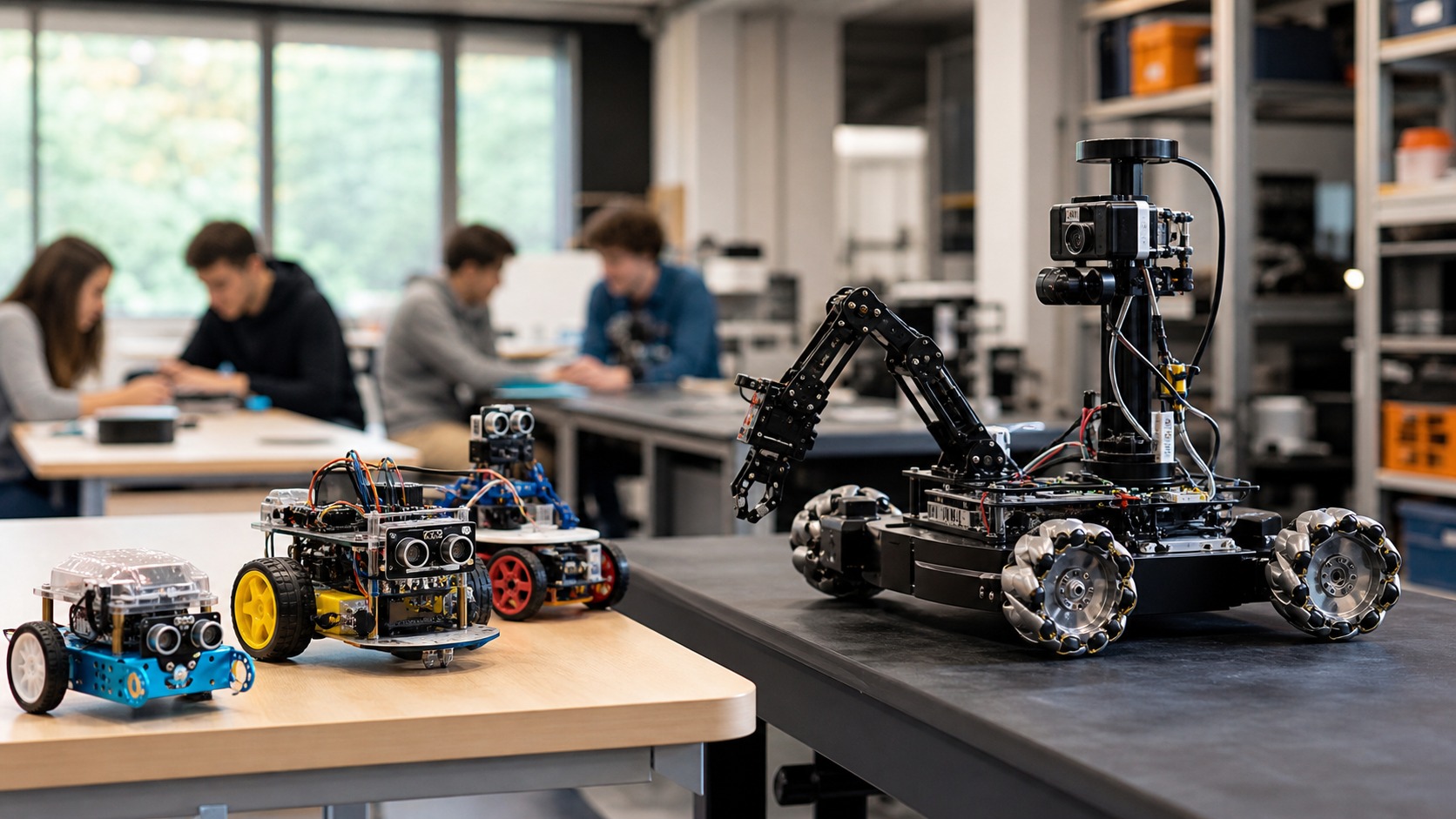
A small robot that teaches sensors, loops, wheels, and debugging can be more valuable than a sophisticated machine that students are afraid to touch. This is why educational robots are effective even when they are small. A tabletop rover can teach sequencing, wiring, debugging, calibration, and cause-and-effect thinking in a single afternoon. Students do not need a factory robot to encounter real robotics ideas. They need a system that responds visibly to their decisions and gives them room to revise those decisions. That visible response is powerful because it shortens the distance between idea and consequence. A student writes an instruction, sends it to the robot, and immediately sees whether the instruction was clear enough. The result might be success, drift, hesitation, or collision with a harmless obstacle. Each outcome invites revision instead of passive memorization. This makes educational robotics especially helpful for learners who understand best through building, testing, and adjusting rather than reading concepts in isolation.
Classroom Robots Teach Coding and Control
Many educational robots are designed for programming lessons. Students may use block coding, Python, JavaScript, C, or robotics-specific environments to control movement, lights, sensors, sounds, arms, or behaviors.
The robot gives code a body. Instead of printing a number on a screen, the program changes motion in the room. That makes concepts such as loops, conditionals, variables, functions, timing, and state easier to discuss.
Control lessons also become concrete. Students can learn that commanding a motor is different from achieving a movement. Battery level, friction, wheel slip, sensor noise, and timing all affect the result.
This is where robotics education becomes richer than ordinary coding practice. The physical world pushes back, and students learn to measure rather than assume. Coding lessons become more memorable when the result moves through physical space. A loop that repeats too long may drive the robot past the target. A condition that is too sensitive may make the robot twitch. A timing mistake may create a delay that students can see. The robot turns abstract logic into behavior with consequences. Teachers can use that physical feedback to make programming less abstract. Variables become speed settings, loops become repeated motion, and conditions become decisions triggered by distance, color, light, or touch. Students who struggle to care about code on a screen often become more engaged when the same code changes a machine they can observe. The robot does not make programming easy, but it gives errors a shape that learners can discuss and fix.
Sensors Help Students Learn Evidence
Educational robots often include distance sensors, line sensors, color sensors, cameras, IMUs, touch sensors, encoders, microphones, or force sensors. These devices teach students how robots gather information before acting.
A sensor lesson can be simple but powerful. Students may discover that lighting changes a color reading, that a shiny surface confuses distance measurement, or that a wheel encoder does not fully capture wheel slip. These are real robotics problems in beginner form.
Sensors also teach uncertainty. A robot may need thresholds, filters, calibration, repeated readings, or fallback behavior. Students learn that data is useful, but not perfect.
That lesson is valuable far beyond robotics. It builds a habit of asking what a measurement means and where it might fail.
Educational robots therefore teach evidence-based thinking through motion, not just electronics. Sensor lessons also teach humility. Students quickly discover that the world is noisier than a diagram. A sensor might work in one light condition and fail in another, or read differently when the robot battery weakens. These experiences help learners understand why professional robots need calibration, testing, and fallback behavior. Sensor work also introduces students to uncertainty in a constructive way. A classroom robot may read a surface differently because of glare, battery level, angle, or distance. Instead of treating that as a defect in the lesson, a good activity turns it into evidence. Students learn to test more than once, compare readings, adjust thresholds, and design behavior that handles imperfect information. Those habits belong at the heart of real robotics.
Robot Kits Teach Engineering Design
Many classroom and competition robots are built from modular parts: frames, wheels, gears, motors, brackets, sensors, controllers, batteries, and fasteners. Students learn how physical design changes behavior.
A robot with a narrow wheelbase may tip. A heavy arm may strain a motor. A loose bracket may ruin sensor alignment. A poorly routed cable may catch in a wheel. These problems teach mechanical design, power planning, and build quality.
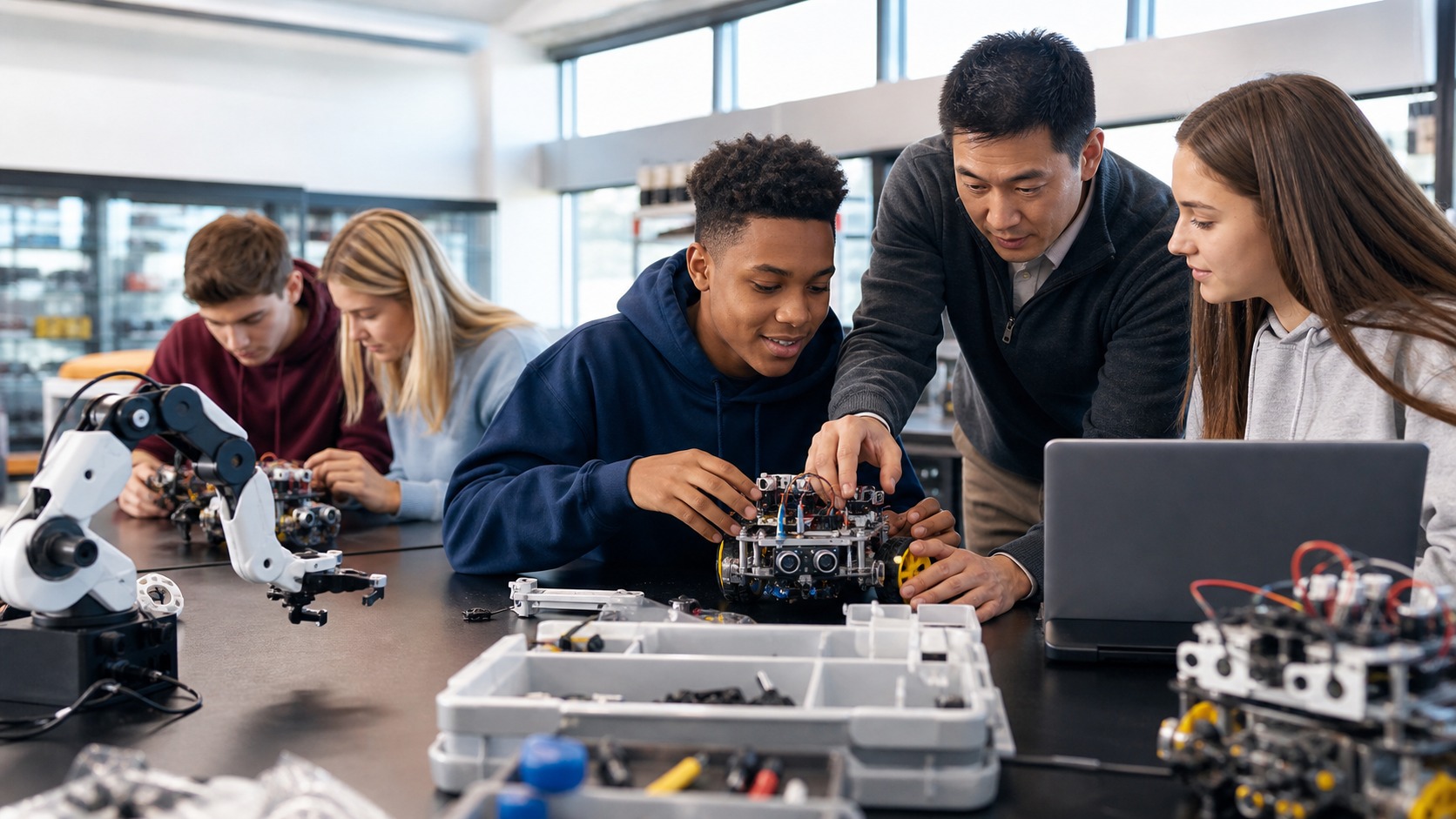
Team projects also teach communication. One student may work on code, another on chassis design, another on testing, and another on documentation. The robot becomes a shared object that forces ideas to meet.
Good educational robotics encourages students to explain decisions rather than merely chase a working demo. Building robot kits adds mechanical judgment to coding. Students learn that the placement of a sensor, the stiffness of a frame, and the traction of a wheel affect the program's success. This prevents the false idea that robotics is only software. The body of the robot is part of the lesson. The building process gives students a second kind of reasoning. They learn that wires need strain relief, wheels need traction, frames need alignment, and sensors need a clear field of view. A clever program cannot fully rescue a robot with a loose connection or an awkward sensor placement. That lesson is valuable because it prevents a false divide between software and hardware. Robotics teaches students that systems thinking is practical, physical, and testable.
Educational Robots Also Support Research
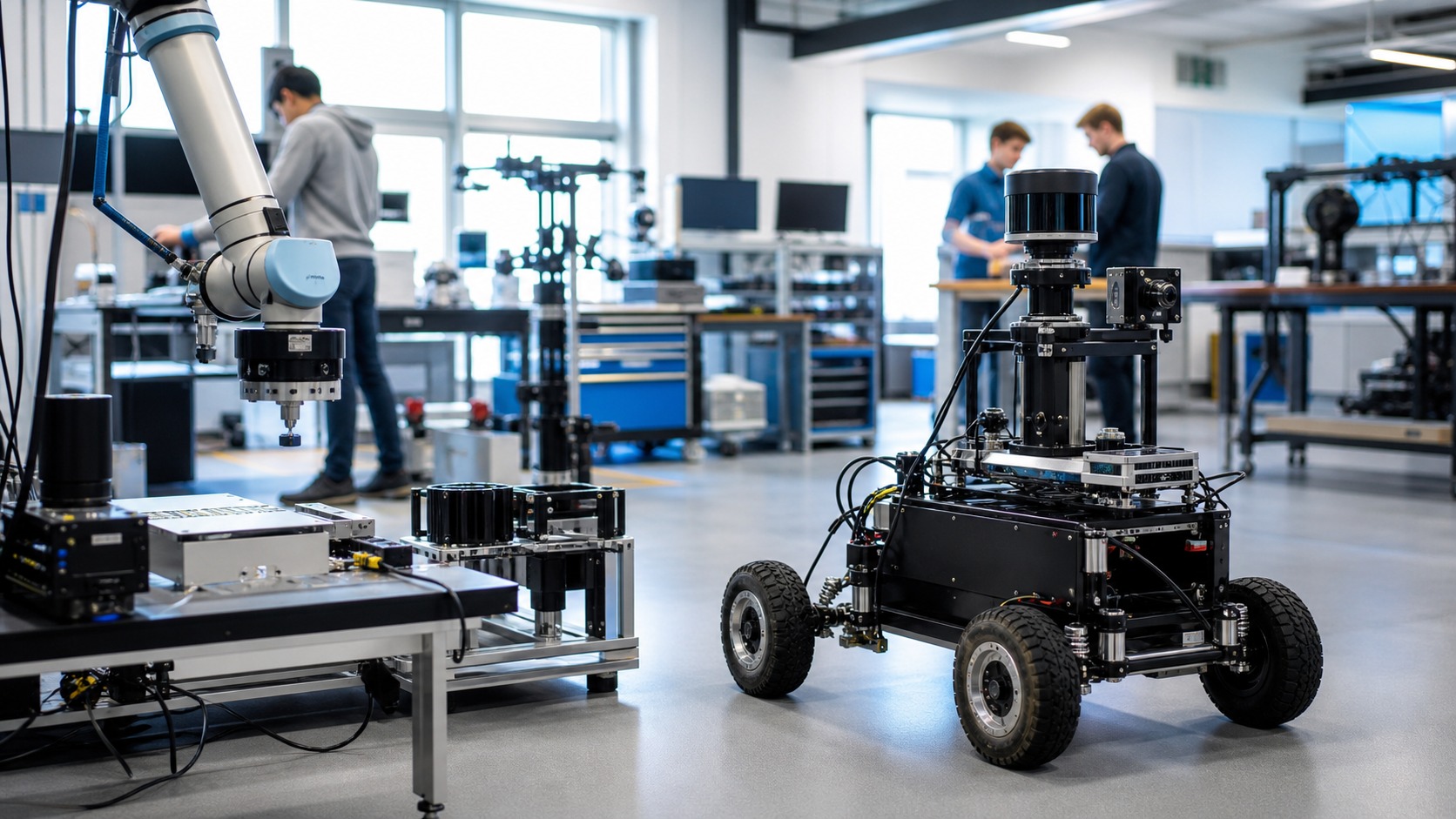
Educational and research robots overlap. Universities and labs use robot platforms to study navigation, manipulation, human-robot interaction, perception, AI, swarm behavior, control, and learning. A research robot may also be used for teaching because it exposes students to real robotics architecture.
Research platforms are usually more open-ended than beginner kits. They may include ROS, advanced sensors, simulation tools, custom hardware, data logging, and experimental software. They teach students how complex robotics systems are organized.
The goal is different from a classroom toy. A research robot should be flexible enough for experiments and transparent enough for students to inspect the system.
This transparency matters because students need to understand not only that the robot works, but why it works and how to change it safely.
Educational robots at this level prepare learners for engineering, research, manufacturing, healthcare robotics, field robotics, and AI applications. Research platforms extend the same idea for older learners. Students can inspect logs, tune control parameters, test perception models, compare simulation with hardware, and design experiments. The robot becomes a bridge between theory and evidence, which is exactly what research training needs. At the research level, educational robots also help students ask better questions. Instead of only completing a kit activity, they can compare control strategies, test navigation methods, evaluate sensor noise, or document how hardware changes affect performance. The robot becomes a modest laboratory. It gives students a repeatable platform where they can make a claim, gather evidence, and refine the claim after new observations.
Choosing an Educational Robot
The best educational robot depends on learner age, goals, budget, classroom time, teacher support, durability, programming language, spare parts, and lesson design. A first-grade coding robot has different needs than a university mobile manipulation platform. For younger learners, durability, simple controls, immediate feedback, and low frustration matter. For older students, open programming, sensors, mechanical flexibility, documentation, and data access may matter more.
A good choice also matches the teaching goal. If the goal is programming logic, a simple wheeled robot may be enough. If the goal is mechatronics, students need motors, sensors, structures, and hardware troubleshooting.
Educational robots should invite experimentation without becoming impossible to manage.
The right robot makes learning feel active, visible, and repairable. Choosing the right educational robot also means respecting classroom reality. Teachers need storage, charging, repair parts, lesson plans, and systems that survive repeated handling. A robot that is too fragile, too closed, or too complex can turn curiosity into frustration. Classroom fit deserves attention because the best learning tool is the one teachers can actually sustain. Batteries, replacement parts, software updates, storage bins, device compatibility, and repair time all affect whether a robot remains useful after the first exciting week. A sturdy, understandable kit often beats a flashier system that requires constant troubleshooting. Educational robotics works best when the technology supports the lesson instead of becoming the entire lesson.
Common Learning Outcomes
Educational robots can teach coding, debugging, sensor interpretation, mechanical design, electrical basics, teamwork, project planning, documentation, testing, AI concepts, and ethical reflection about automation.
They also teach patience. Robots rarely behave perfectly on the first try. Students learn to observe, isolate variables, test one change, and explain what happened. That process builds engineering confidence.
Competition robotics adds deadlines, strategy, constraints, and teamwork under pressure. Classroom robotics adds guided exploration and broad access. Research robotics adds open-ended questions and deeper system design.
Each path uses robots differently, but the common benefit is active problem solving.
Students learn that technology is built through choices, tradeoffs, evidence, and revision. Educational robotics also builds collaboration because robots rarely fit one person's thinking neatly. Mechanical choices affect code, code affects sensor needs, and sensor readings affect strategy. Students learn to explain, negotiate, test, and document decisions as a team. Collaboration grows naturally because robot projects expose dependencies. One student may tune code, another may adjust the chassis, and another may test sensor placement. When the robot does something unexpected, the team has to explain what each part contributed. That shared troubleshooting builds communication skills alongside technical skills. Students learn that good engineering is not just having an idea; it is making evidence visible enough for other people to improve it.
Beginner Takeaway
Educational robots are learning tools that connect code, mechanics, sensors, and design to visible behavior. They help students understand robotics by making ideas move in front of them.
The best educational robot is not the flashiest one. It is the one that fits the learner, supports the lesson, survives mistakes, and gives students enough access to explore.
For beginners, the core idea is simple: educational robots make learning tangible. They turn abstract technical concepts into actions students can build, test, question, and improve. The best educational robots leave students feeling capable. They make failure observable instead of embarrassing, and they turn revision into a normal part of learning. That emotional shift matters because confidence is often the bridge between curiosity and deeper technical study. A strong educational robot also leaves room for imagination. After students complete the basic challenge, they can invent routes, add attachments, change behaviors, or design small experiments. That freedom matters because learners start to see robotics as a medium for asking questions rather than a fixed toy with one correct answer. The best beginner experience is structured enough to prevent chaos and open enough to reward curiosity.