

On Robot Streets, “Simulation and Modeling Tools” is where robots learn to fail safely, iterate faster, and master the real world before they ever roll onto it. Here, physics engines, digital twins, and virtual testbeds become your robotic playground. You can crash test manipulators, push mobile bases to their limits, and rehearse complex missions across warehouses, hospitals, and city blocks—without risking a single bolt. This hub explores the platforms, workflows, and tricks that make high-fidelity simulation a core part of modern robotics. You’ll find articles on building realistic worlds, importing CAD, tuning physics, stress-testing algorithms, and validating AI policies at scale. We’ll connect modeling tools to your full stack: perception, planning, control, and even edge–cloud deployments. Whether you’re a solo builder prototyping a robot arm in your living room or part of a team simulating entire fleets, this space shows you how to turn “what if?” into concrete, testable scenarios. Step in, spin up a virtual world, and let your robots learn at lightspeed.
A: Sim is safer, cheaper, and lets you explore rare edge cases you may never see in the lab.
A: Match fidelity to the question—navigation needs different detail than grasping or legged locomotion.
A: Yes; connect the same topics and services to simulated sensors and actuators.
A: Not exactly; the goal is “good enough” plus small real-world fine-tuning.
A: Use naming conventions, folders, and version control tags for worlds, robots, and missions.
A: No; many useful experiments run on a single laptop or modest workstation.
A: Visual demos of virtual robots make designs easier to explain and approve.
A: Refresh after layout changes, new robots, or major software releases.
A: Simulate a simple mobile robot in a small maze, then add sensors and autonomy step by step.
A: When scenarios pass consistently, metrics stabilize, and you’ve tested expected failures.
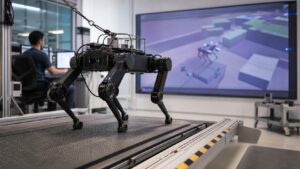
The Future of Simulation and Modeling in Robotics
A forward-looking guide to how simulation and modeling will shape robotics through digital twins, synthetic data, validation, safer testing, and faster design loops.
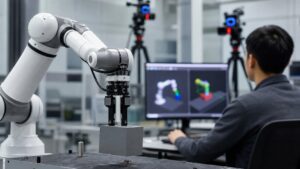
How Robot Simulation Works: Everything You Need to Know
Robot simulation explained step by step, from models and physics engines to sensors, controllers, scenarios, validation, and the sim-to-real gap.
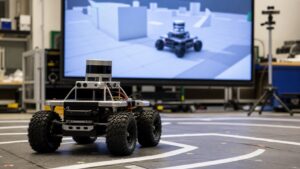
What Are Robotics Simulation and Modeling Tools? A Complete Beginner’s Guide
A beginner-friendly guide to robotics simulation and modeling tools, including virtual robots, physics engines, sensors, environments, and validation.