Industrial Robots Work by Coordinating Motion, Tooling, and Feedback
Industrial robots work by converting programmed instructions into controlled physical motion. The controller plans where the robot should move, the joints and actuators create that movement, sensors report what is happening, and the end effector performs the task. The robot repeats this cycle inside a workcell designed around parts, fixtures, safety, and recovery. The result looks simple from outside the fence, but the machine depends on many coordinated components.
A: Usually a signal that the part, machine, or operator process is ready.
A: Joint feedback, calibration, frames, and sometimes external sensors define position.
A: The tool creates the actual physical interaction with the part or process.
A: It is the planned movement through points, speeds, orientations, and clearances.
A: They confirm state so the robot does not rely only on assumptions.
A: The program follows a defined stop, retry, wait, or operator recovery path.
A: Frames let motion be described relative to tools, fixtures, bases, or parts.
A: Unexpected people, bad clearances, wrong payloads, tool faults, or uncontrolled energy.
A: By refining paths, tooling, handshakes, fixtures, and recovery steps.
A: Industrial robots work by linking motion commands to physical confirmation.
The Controller Directs the System
The controller is the robot's command center. It stores programs, calculates motion, monitors inputs, sends commands to drives, and coordinates with other equipment. A production cell may ask the robot to wait for a part, move to a pickup point, close a gripper, travel through a safe path, place the part, and report completion. Because the controller holds this logic, small programming choices can have large physical consequences. A wait placed too late, a missing sensor check, or an unclear fault branch can turn a normal exception into a crash or long stoppage.
The controller also manages timing. It must coordinate robot motion with sensors, machine doors, conveyors, clamps, tools, and safety devices. Industrial robotics is full of handshakes: the robot waits for one signal, sends another, and moves only when the surrounding process is ready.
Beginners often imagine a robot program as a list of positions, and that is partly true. But a useful industrial program also includes conditions, checks, pauses, speeds, tool settings, and responses when something is not right.
That is why the controller is both a motion engine and a process coordinator. It tells the robot where to go, but it also helps decide when the movement belongs in the larger cell sequence.
A controller also records the language of the cell. It knows which input means a clamp is closed, which output starts a tool, which position is safe for waiting, and which fault should stop the process. That context makes the controller more than a motion computer. It is the place where robot movement becomes production logic. The controller therefore contains both the planned cycle and the practical rules that keep the cell from moving at the wrong time. That timing discipline is what keeps automated equipment from colliding with itself or waiting forever for a missing state.
Joints and Actuators Create Motion
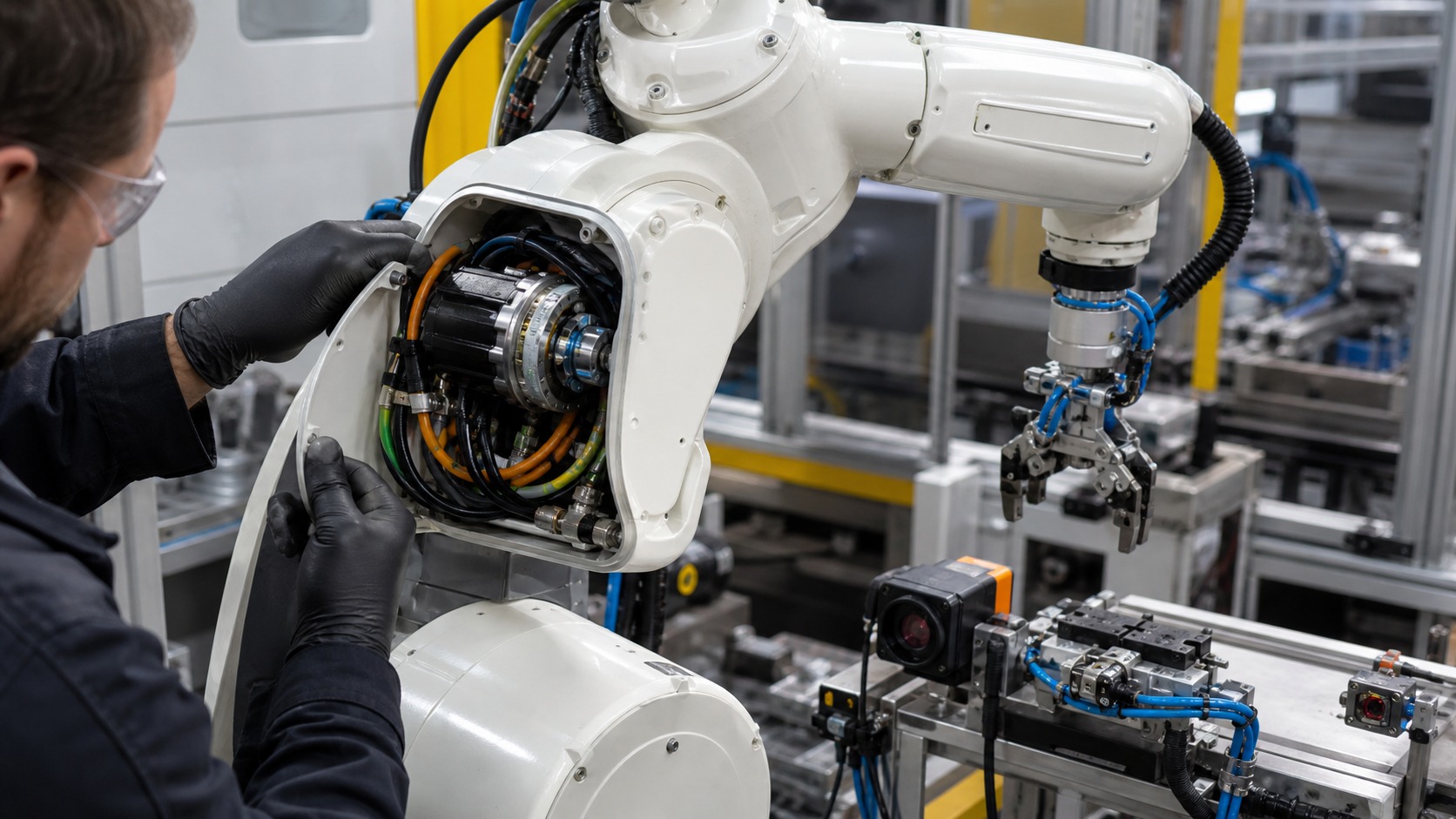
Most industrial arms move through powered joints. Each joint has an actuator, transmission, bearings, sensors, brakes, and structural housing. The controller commands the joint, the drive supplies power, and the joint sensor reports position. The joint hardware also has to hold position when the robot stops. Brakes, transmissions, and gravity compensation matter because industrial robots often carry tools or parts that should not drift when motion pauses.
Actuators must match the robot's payload, speed, reach, and duty cycle. A heavy part at full extension creates more stress than the same part near the base. Robot motion is therefore shaped by both geometry and load.
Joint feedback is what lets the controller close the loop. The robot does not simply energize a motor and hope the arm moved. It measures position and compares that position with the commanded path. That measurement lets the system hold accuracy even as loads, speeds, and directions change through the cycle. That closed-loop behavior is one reason industrial robots can repeat paths with much better consistency than a simple powered mechanism.
The End Effector Performs the Task
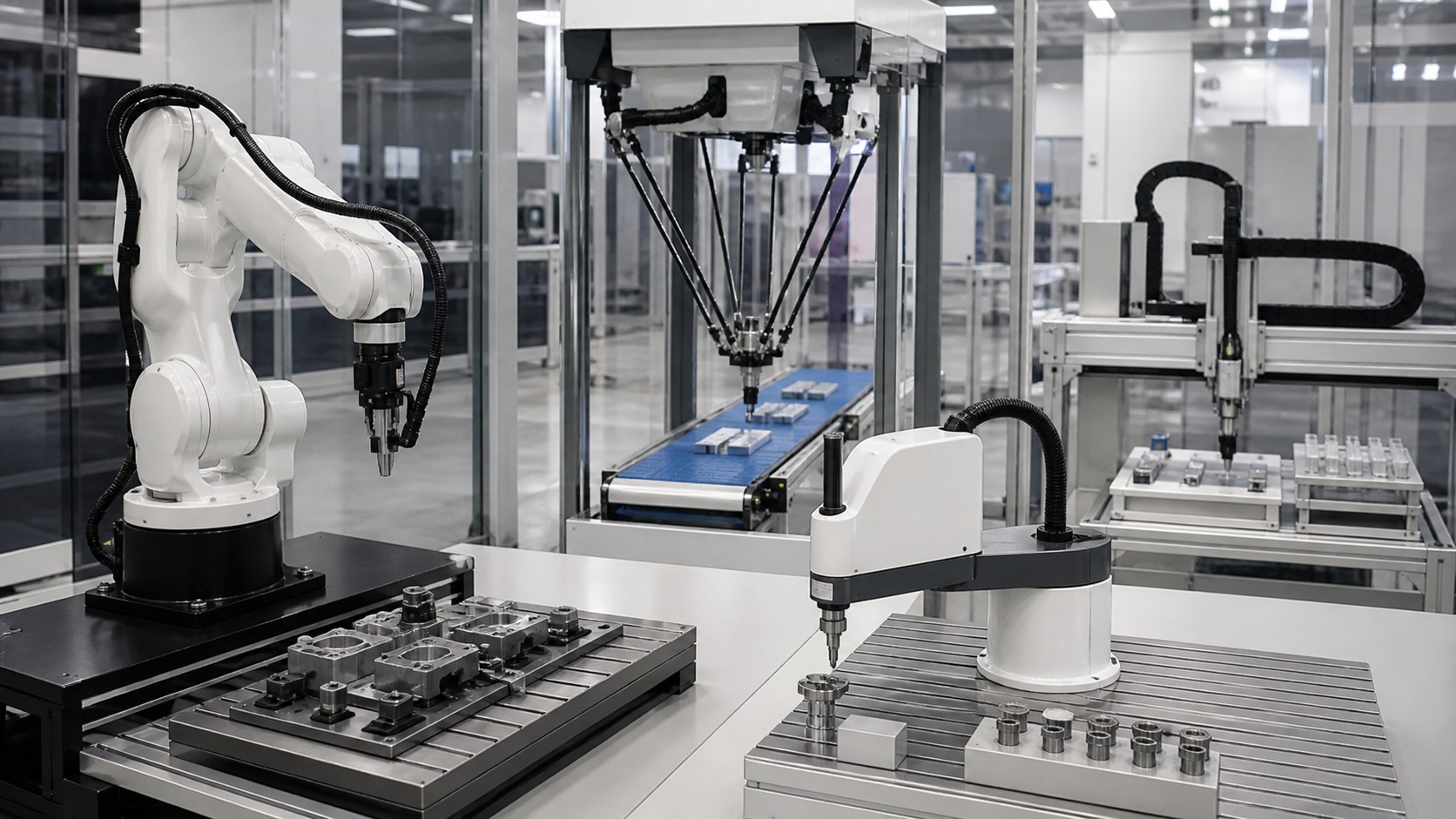
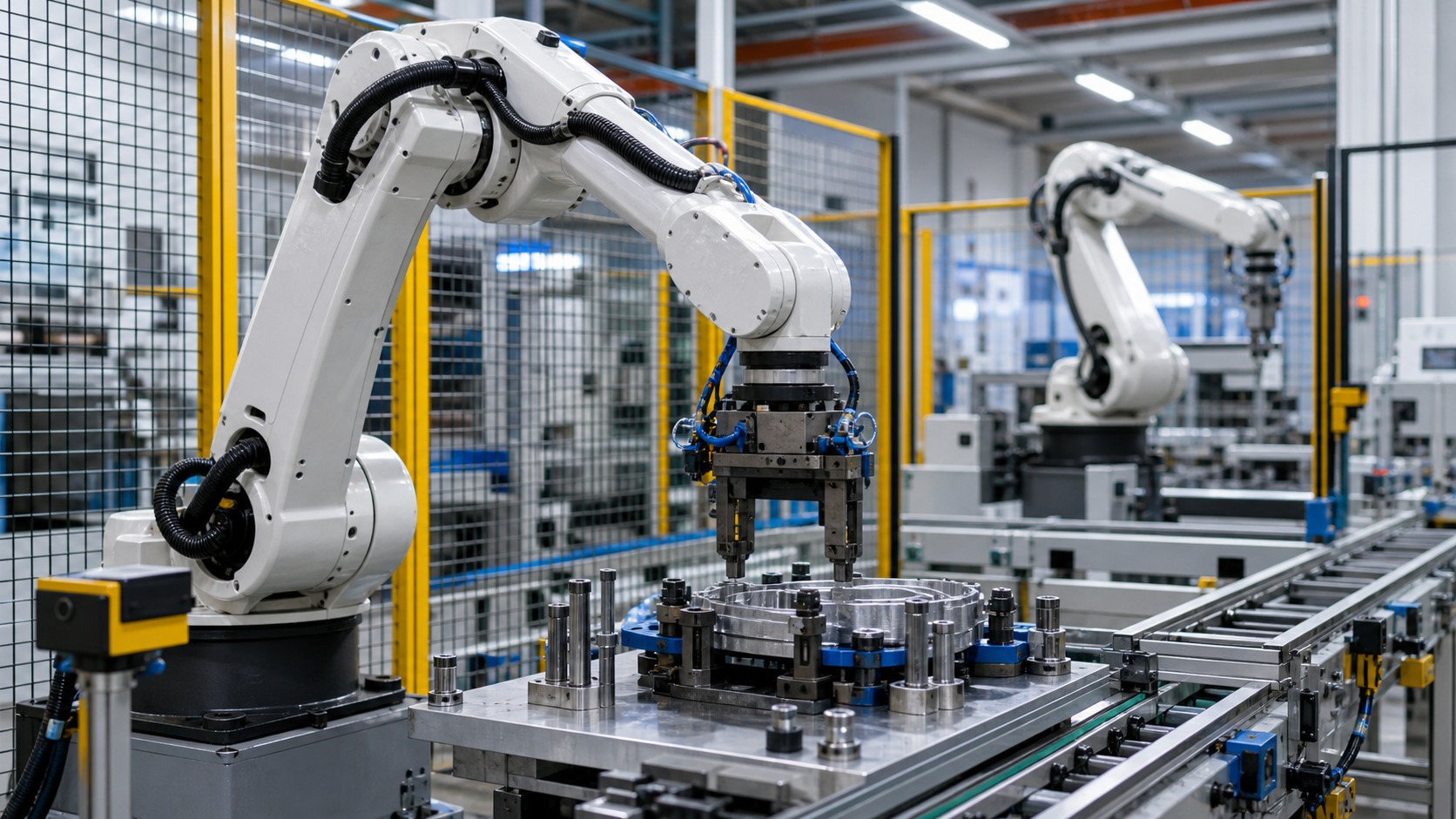
The end effector is the working tool at the robot's wrist. It may be a mechanical gripper, vacuum cup array, welding torch, paint sprayer, screwdriving tool, inspection camera, dispenser, polishing head, or custom fixture. The end effector turns robot movement into process work. Tooling also affects accuracy. If a gripper flexes, a suction cup shifts, or a torch mount loosens, the robot may reach the right point while the tool no longer contacts the process correctly.
A robot with the wrong end effector can fail an otherwise simple job. The tool must match part shape, surface texture, weight, temperature, cleanliness, tolerance, and required force. A box gripper, delicate electronics gripper, and hot forging gripper have very different needs.
End effectors also need utilities. Pneumatic lines, vacuum hoses, electrical cables, coolant, tool sensors, and quick-change couplers may all travel through or along the robot arm. Those utilities must survive repeated motion.
The best end effectors include feedback. A gripper may confirm closure, vacuum level, part presence, force, or tool condition before the robot moves to the next step.
The end effector also changes the robot's risk profile. A smooth suction cup, hot torch, sharp cutter, heavy clamp, or long screwdriver creates different hazards and clearance needs. When people review a robot cell, they must review the tool as seriously as the arm. A tool also changes maintenance needs, because cups, fingers, nozzles, tips, seals, and sensors wear in different ways.
Sensors Confirm the Cell State
Industrial robots use sensors to confirm what the program cannot safely assume. Proximity sensors, switches, cameras, force sensors, torque readings, pressure sensors, barcode readers, and machine signals all help the system understand the current state. The best sensor choices are tied to recovery. If a gripper loses a part, the system should know whether to retry, return to a safe place, call an operator, or stop before the next machine step.
A sensor may tell the robot that a part arrived, a clamp closed, a gripper has vacuum, a machine door is open, or a finished part is seated. These signals prevent the robot from acting on outdated assumptions.
Sensors become more valuable when they are placed at decision points. A sensor at the wrong location may confirm something that does not matter, while the important failure remains invisible. Good cell design asks what the robot needs to know before each risky movement. This is why integrators spend so much time deciding where a sensor belongs and what state it actually proves.
Motion Paths Balance Speed and Safety
Robot motion is planned through points, paths, speeds, acceleration, tool orientation, and safe zones. Some movements need exact paths, such as welding or dispensing. Others need only safe travel between two positions, such as moving a part from a tray to a fixture. Motion choices also affect the surrounding process. A path that saves half a second but blocks an operator view, shakes a payload, or brushes near a cable may not be worth the risk.
Path quality affects cycle time, wear, cable stress, collision risk, and process quality. A short path is not always the best path if it swings a tool near a fixture or forces a joint to move awkwardly. Industrial robot programming often balances speed with predictable clearance.
Motion also depends on coordinate systems. The robot may use base coordinates, tool coordinates, fixture coordinates, or vision-corrected positions. These references let the system describe motion in practical terms instead of only joint angles.
Calibration keeps those references honest. If a tool, fixture, or camera shifts, the path may no longer match the physical cell.
Motion planning also protects the hardware. A path that twists cables tightly, swings a payload too aggressively, or forces abrupt stops may work during a demo but create wear over time. Smooth industrial motion is often a compromise between speed, clearance, process quality, and machine life. Good paths are often invisible when they work, because nothing clips, twists, shakes, or surprises the people around the cell. The motion is successful only when the tool, part, cable, and surrounding equipment all survive the path.
Safety Systems Control When Motion Is Allowed
Industrial robots operate under safety systems that define when motion is allowed and what kind of motion is permitted. Fences, gates, interlocks, scanners, emergency stops, light curtains, safe speed limits, brakes, and procedures all work together. These modes are especially important during teaching, when people may be closer to the robot while adjusting points. Lower speeds and defined states help turn setup into controlled work rather than improvised risk.
Safety is not only about stopping the robot. It is about predictable states. Operators and technicians need to know when energy is present, when motion is disabled, and how to recover from a fault without guessing.
Safety controls also define different operating modes. Teaching, maintenance, automatic production, and recovery may each allow different speeds or movements. These modes help people work with the system without treating every situation as the same level of risk. The goal is to give people access to the machine without leaving the machine's energy or intention ambiguous.
The Work Cycle Repeats With Checks
A typical cycle may begin with a part-present signal. The robot moves to approach, activates the tool, confirms grip, lifts the part, travels through a safe path, places it in a fixture, releases, confirms the result, and returns home. Recovery design is where experienced integrators often stand out. They know that a cell's usefulness depends not only on perfect cycles, but also on how quickly ordinary imperfect cycles return to normal.
Every step has potential checks. If the part is missing, the robot may wait. If the gripper fails, it may retry or alert an operator. If a safety gate opens, the system stops. If the machine is not ready, the robot holds position.
This repeating cycle is where industrial robots earn their value. They do not simply move fast; they move with enough structure and feedback to make the same physical process happen predictably.
The work cycle also creates data. Cycle time, fault causes, sensor status, and tool wear can all help improve production.
A well-designed cycle includes recovery paths because production is never perfect. Parts arrive late, tools wear, sensors get dirty, and machines pause. The robot program needs enough structure to handle common exceptions without requiring an engineer for every interruption. A robot that recovers well can be more valuable than a robot that only performs well under perfect conditions.
How the Pieces Fit Together
Industrial robots work because controllers, joints, actuators, tools, sensors, motion paths, and safety systems share one job. The controller knows the sequence, the hardware creates movement, the end effector touches the process, and sensors confirm that each step deserves to continue. Once that pattern is visible, the robot becomes easier to understand. Every movement has a command, a physical mechanism, a tool purpose, a sensor check, and a safety context.
A beginner can understand industrial robots by following the evidence through the cell. What is the robot waiting for, what does it move, what tool touches the part, what sensor confirms success, and what happens if the cycle fails?
Those questions reveal the real machine. An industrial robot is not just a moving arm. It is a coordinated physical system built to repeat work with measured confidence. That linked chain is the heart of industrial robotics. The machine works because each part of that chain keeps the next part honest throughout repeated production. When one link is weak, the robot may still move, but the process stops being trustworthy.